

A sales pipeline is a picture of every potential customer you’re talking to, and how close each one is to saying yes.
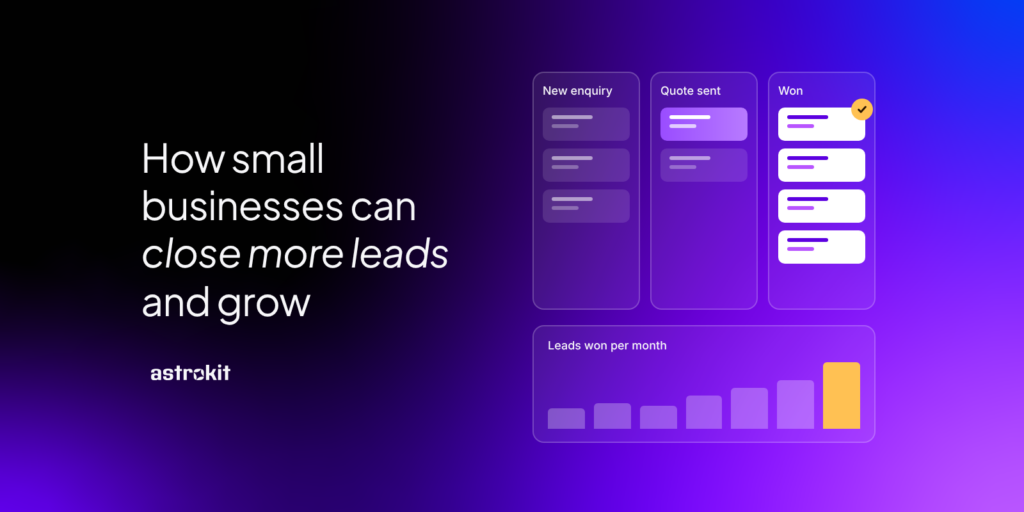
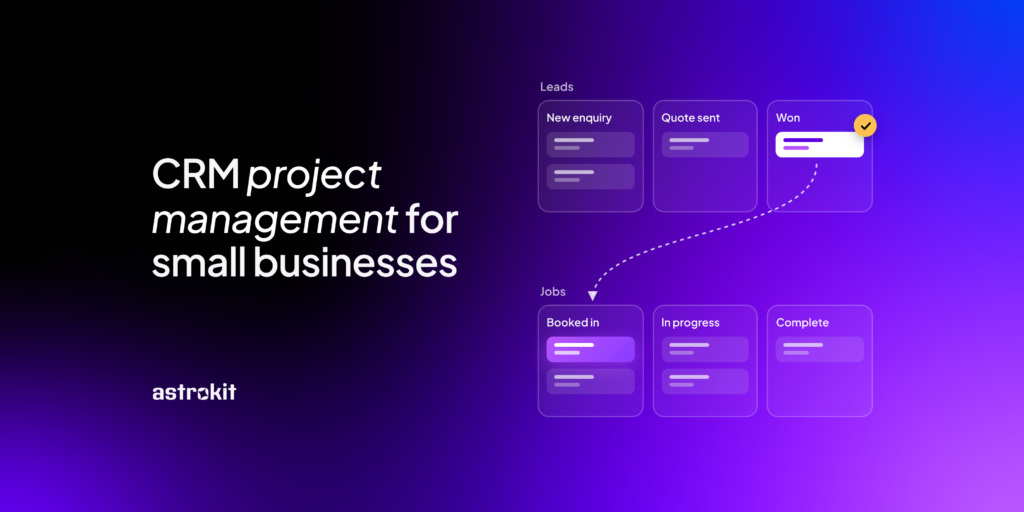
Typically a sales pipeline is displayed in columns. Each column is a stage, like “New enquiry”, “Quote sent” or “Won”. Every lead sits in one column, and as the conversation moves on, so does the lead. When you look at it on a Monday morning and you can see who needs a call, which quotes have gone quiet and how much work is likely to come in this month.
A pipeline is the next step for owners and small teams who want more than a list of names, who want to be able to scale and see progress at a glance. We’ve put together everything you need to know about pipelines including what makes a pipeline work well, who should look after it and how automation can turn more enquiries into paying customers. We’ve also created three very different businesses examples to demonstrate how you can use a pipeline and CRM software to grow.
What makes an efficient sales pipeline?
A pipeline only helps if it matches the way you actually sell. Copy a template from a big sales team and you’ll end up with stages nobody uses and leads stuck in the wrong place, all this inefficiency costs you time and money.
The best pipeline tools tend to have a few things in common. Such as the ability to make stages that match your real steps. Each stage should describe something that has actually happened, not a feeling. “Quote sent” is clear. “Warm” means something different to everyone.
A typical small business pipeline might look like this:
- New enquiry
- Contacted
- Quote sent
- Follow-up message sent
- Meeting booked
- Won or lost
Keep Your CRM Efficient
Keep the number of stages you have relevant and simple. To avoid getting overwhelmed with information five or six stages is plenty for most small businesses. If you have twelve, people stop moving leads along because it feels too much like admin and your system gets abandoned.
Every lead phase should have one obvious next action and a date for it. If a lead has no next step, it’s quietly going cold and a good CRM will alert you that you’re losing your lead.
Marking a lead as lost feels like a defeat, but leaving it in “Follow-up” for three months makes your pipeline look healthier than it is and every time you see that dead lead you’ll feel defeated. Close it, note why, and you’ll learn from it.
If you can, assign deal values to keep your forecasts as relevant as possible. Even a rough figure on each lead tells you how much work is coming and where to spend your time. This can be a huge help to a sales team, at a glance they can see which leads mean more and prioritise their time based on lead value rather than guess work.
All of this sounds ideal for any business, but it does come at a small cost of time investment. For a pipeline or CRM to work, it must be regularly updated. A pipeline that’s two weeks out of date is worse than none at all, because people trust it.
One named person should ultimately be responsible for making sure the CRM and pipeline are kept up to date and are being used properly. Everyone who speaks to customers should update the leads they’re working on, but one person should own the pipeline as a whole. When it belongs to everyone, it tends to belong to no one.
Who that person is depends on the size of your business.
- If it’s just you, it’s you. Set aside ten minutes at the start of each week to move leads along, close the dead ones and check every lead has a next step.
- In a small team of two to ten, it’s usually the owner or whoever handles most enquiries. Each person keeps their own leads up to date, and the owner runs a quick weekly check to spot anything stuck.
- In a growing business with a sales or office manager, that person owns it day to day. The owner still looks at the big picture each month: how many leads came in, how many were won and where the rest dropped off.
Whoever owns it should set a few house rules. Such as defining what counts as a new enquiry? How quickly should someone reply? When does a quiet lead get marked as lost? Write them down so everyone works the same way, especially new starters.
How automation helps you close more leads
A surprising number of leads aren’t lost because the customer said no, they’re lost because nobody followed up. You meant to send that reminder, then the phone rang, then it was Friday and before you know it you’ve missed that window to win the sale.
Automation picks up those small, repetitive jobs so they happen every time. The trick is to link each automated message to a stage in your pipeline, so it goes out when it’s actually useful. For example:
- A new enquiry comes in: The customer gets a friendly reply within minutes, saying thanks and when you’ll be in touch. Quick replies matter, because people often go with whoever gets back to them first.
- A quote has been sent: Three days later, a short email checks they received it and asks if they have any questions.
- A quote has gone quiet: After a week or two, a gentle nudge gives them an easy way to say yes, no or not yet.
- A job is won: A welcome email sets out what happens next, so the customer feels looked after from day one.
You write each message once, in your own words, and the pipeline does the remembering.
SMS reminders
Emails are great for detail, but texts get read. A short SMS is ideal for anything time-sensitive:
- appointment reminders the day before, so fewer people forgeta heads-up when you’re on your way
- a reminder that a quote is about to expire
- a quick check-in after a job, asking for a review
- Used well, texts cut down on no-shows and keep you front of mind without you picking up the phone.
Coming soon in Astrokit: automated emails triggered by pipeline stages, and SMS reminders, are both on the way. Join the waitlist and you’ll be among the first to try them.
How to use a pipeline to grow your business
A pipeline isn’t only for keeping track. Once it’s been running for a few months, it tells you where your work comes from, where you lose it and what to fix. Here’s how that looks for three different businesses.
A commercial cleaning company
A cleaning firm with 15 staff wins most of its contracts from offices and shops in the local area. Their pipeline runs from “Enquiry” to “Site visit booked”, “Quote sent”, “Negotiating” and “Contract signed”.
After three months, the numbers tell a clear story. Plenty of leads book a site visit, but a lot of quotes go quiet and never come back. So they make two changes. Every quote now gets a follow-up email three days later, and any quote that’s quiet after two weeks gets a phone call from the manager. They also add a stage for “Renewal due”, so existing contracts get a check-in two months before they end, not two days.
The pipeline also shows which sources bring the biggest contracts. Referrals from existing clients turn out to be worth far more than directory listings, so they start asking happy clients for introductions.
A hairdresser
A salon’s pipeline looks a little different, because most of its “deals” are bookings rather than big contracts. A simple set-up might be “New client enquiry”, “Consultation booked”, “First appointment”, “Rebooked” and “Lapsed”.
The stage that matters most here is “Rebooked”. A salon grows by turning first-time visitors into regulars, so the owner keeps an eye on how many new clients come back within eight weeks. Anyone who hasn’t rebooked gets a friendly text after six weeks with a link to book. Clients who’ve gone quiet for three months move to “Lapsed” and get a “we’ve missed you” offer.
Appointment reminders by SMS the day before mean fewer empty chairs. Notes on each client, like colour formulas or the fact they hate small talk, help any stylist give them the same great service.
A plumber
A plumber running a small team gets a mix of emergency call-outs and bigger planned jobs like bathroom fits and boiler swaps. Emergencies are won or lost on the phone, so the pipeline earns its keep on the planned work: “Enquiry”, “Survey booked”, “Quote sent”, “Deposit paid” and “Job booked”.
The biggest win is speed. Customers getting quotes for a new boiler usually ask two or three firms. An instant email when the enquiry lands, and a text the day before the survey, make a small firm look organised next to bigger competitors. A quick follow-up two days after the quote often turns “I’ll think about it” into a booking. A simple look online shows the frustration the general population has with trades not getting back for quotes, this system will instantly make you stand out as a cut above the rest.
The pipeline also helps with planning. If there’s £20,000 of quotes sitting in “Quote sent” and the diary is thin for next month, it’s time to chase. If the diary is full, you can be choosier about which jobs to take. After each job, an automatic text asks for a review, which helps win the next one.
Build your pipeline with Astrokit CRM
Astrokit CRM is a simple CRM made for UK small and mid-sized businesses, with no extra fluff.
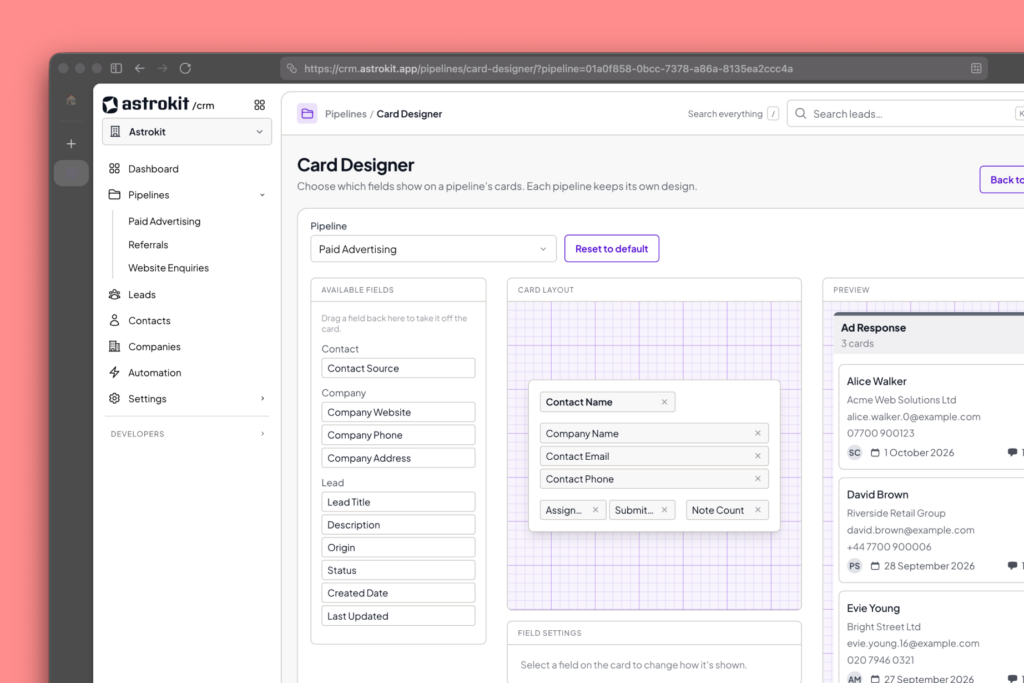
You name your own pipeline stages, so a salon, a plumber and a cleaning firm can each set it up to match how they really work. Drag leads from one stage to the next, add a value to each deal, assign leads to the right person and keep a full history of every call, note and email in one place. It’s designed, built and supported by our UK team, so you can always get support when you need it.
Automated emails linked to your pipeline stages and SMS reminders are coming soon, so you can follow up at the right moment without lifting a finger.