
Getting the yes is a lovely feeling. Then the real work starts, and that’s where things get messy.
The customer told you what they wanted weeks ago. Maybe it’s in an email. Maybe it’s on a sticky note by the kettle. By the time the job begins, half the detail has gone missing and someone has to ring the customer to ask again.
A CRM won’t run your projects for you. What it will do is keep everything about a customer in one tidy place, so you start every job knowing what was agreed, who’s doing it and what’s coming up next.
What does CRM project management mean for a small business?
For a big company, project management can mean Gantt charts, timesheets and a whole team to run them. For most small businesses, it’s much simpler. You want to know three things about every job: what you promised, who’s on it and how it’s going.
A CRM is already where you keep track of your customers and the work you’re trying to win. Using it for projects just means carrying on after the deal is done. The same record that held the enquiry now holds the job, so nothing falls through the gap in between.
Why jobs go wrong after the sale
Most of the time, it isn’t one big mistake. It’s a handful of small ones.
A detail mentioned on the phone never gets written down. The person who took the enquiry isn’t the person doing the work. The customer has to explain themselves twice, which makes you look less organised than you are. Then there’s planning. If you can’t see what work is coming, you won’t know whether next month will be quiet or chaotic until it arrives.
All of these come back to the same thing. The information is scattered across inboxes, notebooks and people’s heads. Get it into one place and most of the problems shrink.
Getting organised: one pipeline for leads, one for jobs
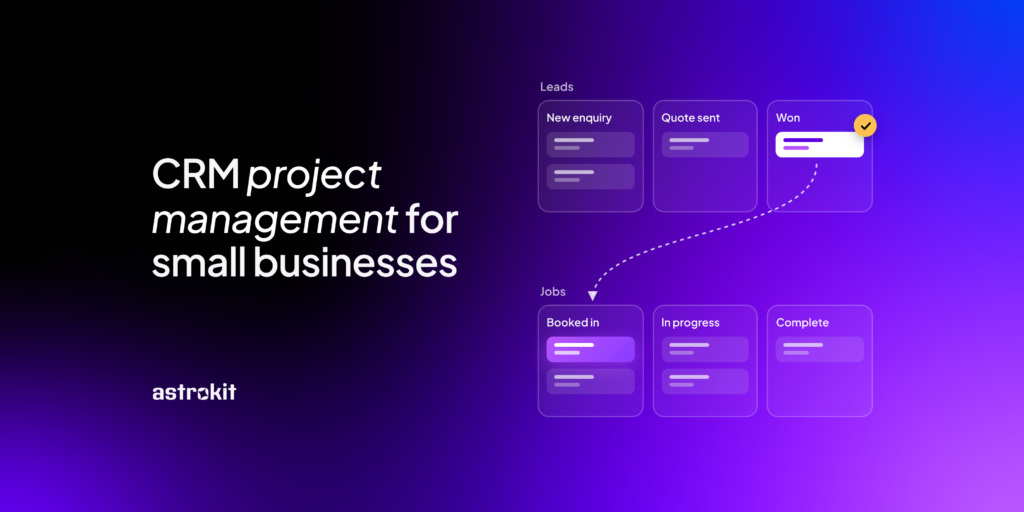
The simplest set-up is two pipelines. The first tracks leads, from new enquiry to won. The second tracks jobs, from booked in to finished.
Your leads pipeline might run “New enquiry”, “Contacted”, “Quote sent”, “Follow-up” and “Won or lost”. Your jobs pipeline might be “Booked in”, “In progress”, “Waiting on customer” and “Complete”. Call the stages whatever makes sense for your business. When you win a lead, move it across to the jobs pipeline, then drag it along as the work moves forward.
You can assign each lead or job to someone on your team, and hand it to someone else if plans change. Everyone knows who’s looking after what. And the owner can see every live job on one screen, without chasing anyone for an update.
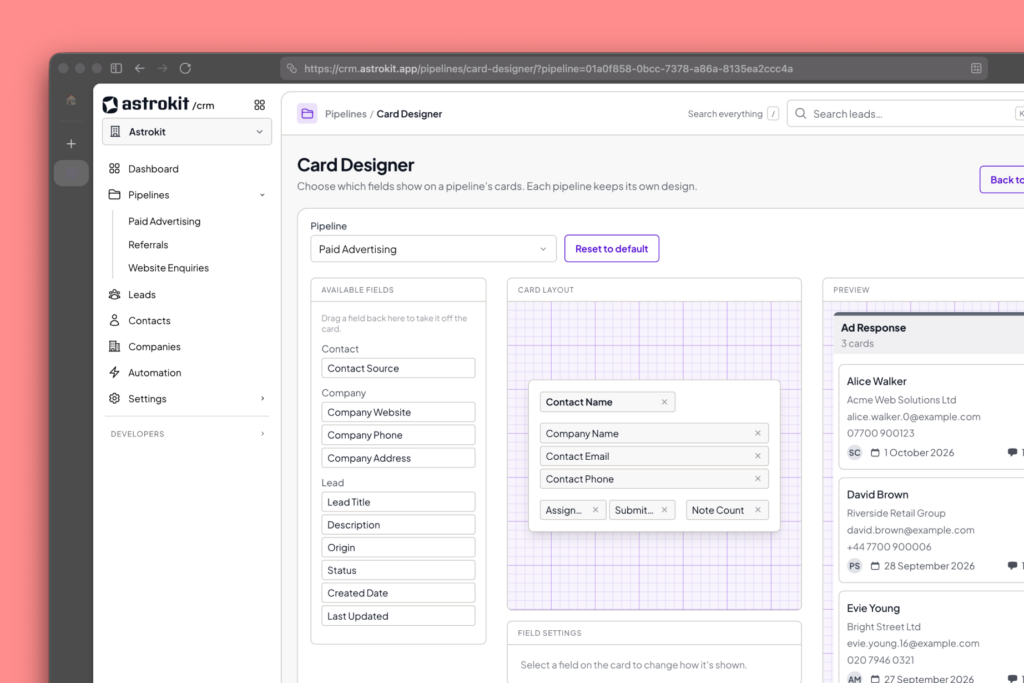
With Astrokit you can make more than one pipeline without a increase in price, perfect for smaller businesses.
Keeping good records
A good customer record saves you from asking the same questions twice.
While you’re talking to a customer, add notes as you go. Jot down what they need, any deadlines and anything they’ve asked you to avoid. Before you mark a lead as won, write one short note that sums up what you agreed, including the price, the timings and any extras. It takes five minutes, and it’s the first thing whoever does the work should read.
Custom fields help too. If every job needs the same details, like an address, a start date or a type of service, set them up as fields so they sit in the same place on every record. Then log your calls, visits and emails on the customer’s timeline. If someone’s off sick, a colleague can pick up the job and read the whole story in order.
Planning ahead with forecasting
Knowing what’s coming makes it far easier to plan your time, your team and your cash. Add a value and an expected close date to each lead, and your pipeline starts to show you the shape of the next few weeks.
If there’s plenty sitting at “Quote sent” and the diary looks thin, it’s time to chase. If you’re already fully booked, you can be pickier about what you take on.
Coming soon in Astrokit: forecasting and reporting that turn your pipeline into a clear picture of the work and income you can expect, so planning staff and stock gets a lot less guesswork.
How it works for businesses
A hairdresser
A salon with three stylists gets most of its new clients through Instagram and word of mouth. Their leads pipeline is short: “New enquiry”, “Consultation booked” and “Booked in”. Their jobs pipeline is for the bigger bookings, like colour corrections and wedding hair, which often need a patch test, a trial and then the big day itself.
Notes on each client do a lot of the work here. Colour formulas, allergies and the fact that someone can’t stand the water too hot all live on the record, so any stylist can give the same service. When a bride’s trial is booked, the whole team can see it, and nobody double-books the chair.
A plumber
A plumber with a small team juggles emergency call-outs with bigger planned jobs like bathroom fits and boiler swaps. The leads pipeline handles quotes. Once a quote is accepted, the job moves over to the jobs pipeline: “Survey done”, “Parts ordered”, “Booked in”, “Fitted” and “Invoiced”.
Custom fields hold what every engineer needs on the day, such as the boiler model, access notes and whether there’s parking. The owner assigns each job to an engineer and moves it to someone else if a van breaks down. Values on the open quotes give a rough picture of the month ahead, so they know when to push for more work and when to hold off.
An accountant
A practice with four accountants takes on new clients all year, but the work piles up around deadlines. Their jobs pipeline runs “Engagement letter signed”, “Records requested”, “Records received”, “In progress” and “Filed”.
“Records requested” is the stage that earns its keep. It shows at a glance which clients still haven’t sent their paperwork, so the team can chase in December rather than the last week of January. Every call and email lands on the client’s timeline, so whoever picks up the phone knows exactly where things stand.
Stay organised with Astrokit CRM
Astrokit CRM is a simple CRM made for UK small and mid-sized businesses, with no extra fluff. Every customer has one record, with their details, custom fields and a full history of calls, notes and emails. You can run one pipeline for leads and another for jobs, name the stages yourself, and assign or move work around your team whenever you need to.
Want to start every job knowing exactly what was agreed? Join the waitlist and be first in line when Astrokit opens its doors.